

Virtual Christmas party games that actually work on a video call
The best virtual Christmas party games give everyone something to do at once, so nobody waits in silence for their turn. Live polls are the easiest way to get there: share one link in the meeting chat, everyone votes from a phone or laptop, and the results move on the shared screen. Here are twelve games that work.
Create your free poll
Ready to run
Party polls for your call
Tap Run it live, publish, and paste the vote link in the meeting chat. Share your screen with the presenter view so everyone watches the results together.
- 01What should we play at the virtual holiday party?Christmas triviaUgly sweater contestTwo truths and a lieHoliday this or thatGuess the baby photo
- 02Who wore the ugliest sweater?Sweater #1Sweater #2Sweater #3Sweater #4Sweater #5
- 03Best Christmas movie of all time?Home AloneElfDie HardThe GrinchIt's a Wonderful LifeLove Actually
- 04When do you open presents?Christmas EveChristmas morningOne on Christmas Eve, the rest in the morningWhenever they arrive
- 05Where would you spend the holidays if you could go anywhere?A snowy cabinA warm beachA big city with all the lightsHome, in pajamas
- 06What should the gift exchange budget be?$10$20$30$50
- 07How was your year?Best one yetPretty goodA rollercoasterGlad it's almost over
Why most virtual holiday parties feel flat
On a video call only one person can talk at a time. Games built around turns, like charades or going around the room, leave twenty people watching one person and checking email. The fix is simple: pick games where everyone answers at the same moment, then talk about the result together.
Live polls do exactly that. Everyone votes at once from whatever device they have, the result appears on the shared screen within a second, and the conversation starts from the result.
The list
12 games for a virtual Christmas party
- Virtual ugly sweater contestEveryone holds their sweater up to the camera, then the team votes. See ugly sweater contest voting for the full playbook.
- Christmas movie showdownVote on the best holiday movie, then let the two biggest fans argue for a minute each.
- Holiday this or thatFive rapid two-option questions, five seconds each. Hot cocoa or eggnog. Real tree or fake. Speed is the fun.
- Guess the baby photoCollect childhood photos in advance, show one at a time, and vote on whose it is.
- Two truths and a lie, holiday editionOne person shares three holiday facts about themselves, everyone votes on the lie.
- Gift exchange budget voteSettle the Secret Santa budget democratically before the party.
- Name that Christmas songPlay five seconds of a song and vote from four titles.
- Cookie judgeEveryone shows the cookie they baked, and the team votes on the one they'd steal first.
- Best home office decorationsA quick camera tour, then a vote.
- When does the tree go upA surprisingly heated debate that gets everyone talking.
- Holiday dream getawaySnowy cabin, warm beach, or home in pajamas. Great for the last meeting before the break.
- Year in reviewClose the party with an anonymous check-in on how the year went.
How to run polls on Zoom, Teams or Meet
The setup takes two minutes, and it works the same on every video platform.
- Make your polls before the call. With a free account, put up to ten questions in one poll and run them as a set.
- Share your screen with the presenter view. Everyone watches the same results, live.
- Paste the vote link in the meeting chat. People vote from a phone or a second browser tab, with no app and no account.
- Go question by question. Give each poll twenty to thirty seconds, read the result out loud, and let two people react before the next one.
Hybrid party? Use the QR code and the link
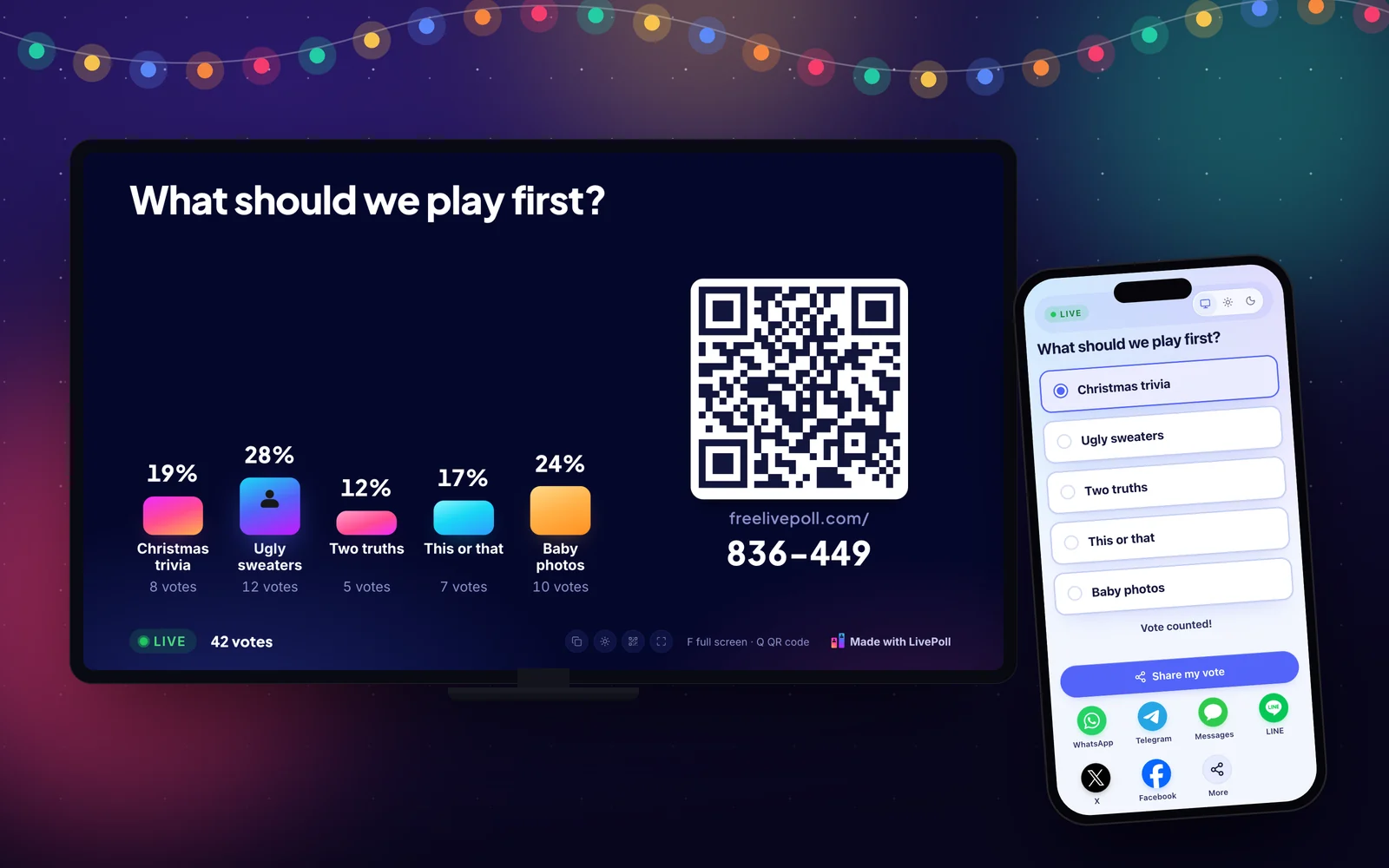
When half the team is in the office and half is at home, show the presenter view on the conference room TV and share the same screen on the call. People in the room scan the QR code, and remote people use the link. Every vote lands in the same poll.
- In the roomScan the QR code on the TV.
- At homeTap the link in the chat.
- EveryoneThe same bars, moving at the same time.
A 45-minute run of show
Long virtual parties lose people. This plan keeps it tight.
- 0 to 5 minutes: welcome, and a quick 'how was your year' poll to break the ice.
- 5 to 15 minutes: the ugly sweater parade and vote.
- 15 to 25 minutes: five rounds of holiday this or that.
- 25 to 35 minutes: guess the baby photo, or name that song.
- 35 to 45 minutes: the Christmas movie showdown, thank-yous, and the gift exchange if you have one.
Make it a tradition
Save your polls in a free account and run them again next year, with the same QR code ideas and fresh questions. For in-person moments, see Christmas icebreakers and Christmas poll questions.
Create a free pollReady-made polls for this
Questions
What games can you play at a virtual Christmas party?
Games where everyone answers at once work best: a virtual ugly sweater contest, holiday this or that, guess the baby photo, two truths and a lie, and a Christmas movie vote. Live polls let the whole call play at the same time.
Does it work on Zoom and Microsoft Teams?
Yes. Share your screen with the presenter view and paste the vote link in the meeting chat. It works the same on Zoom, Teams, Google Meet and Webex.
Do people need to download anything?
No. Voters open the link in any browser on a phone or laptop. Nobody installs an app or makes an account.
How long should a virtual holiday party be?
About 45 minutes. Longer calls lose energy, and a short party that ends on a high is the one people come back to next year.
Can I run several polls in a row?
Yes. With a free account you can put up to ten questions in one poll and move through them one by one.
Is it really free?
Yes. LivePoll is free with no ads, and voters never sign up or install anything. A poll takes up to 1,000 voters without an account, and a free account removes the cap. Pro and the $9 Event Pass add extras like hiding results until a big reveal.